






When should My Cooling Fan Kick on?
Set micro cooling fan kick-on via thermal design: pick sensor location, add hysteresis, tune a PWM curve, and use a checklist to balance noise and lifespan.
In this guide, we’ll explain what a cooling fan “kick on” is really solving, how to set a sensible kick-on strategy based on component limits and real thermal behavior, and why micro blower designs often outperform axial fans in tight ducts.
What Problem Does a Micro Cooling Fan“Kick On”Actually Solve?
A micro cooling fan isn’t there just to “make the device cooler.” Its real purpose is to keep critical parts—like a processor, power stage, or LED driver—within a safe operating range when passive cooling reaches its limit. In compact electronics, heat can build faster than the enclosure can shed it because space is tight, airflow paths are narrow, and components sit close together. When the cooling fan kicks on, the system shifts from relying on natural heat loss to actively moving air, slowing temperature rise and restoring thermal stability.
1.Why Electronics Need a Cooling Fan: How Heat Impacts Performance and Lifespan
Too much heat often shows up first as reduced performance: chips may throttle, power stages may derate, and the device can feel less responsive under load. The longer-term risk is reliability—higher temperatures accelerate material aging, increase stress on solder joints, and shorten the service life of parts such as capacitors and semiconductors. That’s why the fan start point shouldn’t be set just to chase the lowest temperature. A better goal is to avoid prolonged high-temperature exposure and reduce repeated hot-and-cool cycles that quietly wear hardware over time.
2.The Fan’s Role in the Cooling Path: Forced Convection Made Simple
A fan improves cooling by refreshing the air around hot surfaces. Instead of letting warm air linger and insulate a heatsink or component, airflow continually replaces it with cooler air. This improves heat transfer, keeps temperatures from climbing as quickly during peak loads, and helps the system recover sooner once power demand drops—often with less overall thermal stress.
3.Micro Fan vs. Micro Blower: Why Blower Designs Work Better in Tight Spaces
In many small products, the challenge isn’t just moving air—it’s pushing air through restrictive heatsinks, compact ducts, and cramped internal layouts. That’s where a micro blower fan (centrifugal/blower style like the one shown) typically outperforms a small axial design. Blowers handle higher resistance better, making them a strong choice when airflow must be directed across fin stacks or concentrated hotspots. This is why blower-style cooling fans are common in routers, projectors, automotive modules, and compact power supplies—applications where guided airflow matters more than open-air circulation.
When Should a Cooling Fan Kick On?
There isn’t one“perfect”temperature that fits every cooling fan. The right kick-on point depends on what you’re trying to protect and how your device actually warms up during normal use. With a small cooling fan, this decision matters even more: small enclosures hold heat, airflow paths are narrow, and temperatures can climb quickly. If the fan starts too late, key parts spend more time running hot. If it starts too early, the fan may run more than necessary—adding noise and slowly eating into its service life. A good target is to bring the fan in just before heat begins to stack up, and then let it do only as much work as needed to keep things stable.
1.Start with Component Limits
A straightforward way to set the kick-on point is to begin with the safe temperature limit of the most heat-sensitive component (or the temperature you prefer to stay under for reliability), then leave a margin so the system has time to respond. That margin should match real-world conditions: room temperature, typical load, heatsink performance, airflow resistance inside the device, and how quickly temperature rises when workload spikes. In other words, your kick-on temperature should come from how your product behaves—not from a number that happens to work in a different enclosure with different airflow.
2.On/Off vs. Fan Curve
People often use“kick on”to describe two different approaches. The simplest is on/off control: the fan turns on at a set temperature and shuts off once things cool down. It’s easy to implement, but it can feel sudden—especially with small, high-speed fans that go from quiet to noticeable in an instant.
A smoother option is a fan curve (either stepped levels or PWM), where the fan speed ramps up gradually as temperature increases. This is common in small cooling fan designs because it keeps noise changes less jarring, avoids running at high speed when it isn’t needed, and usually holds temperatures steadier without the constant start-stop pattern.
3.Use Hysteresis to Prevent Cycling
Without hysteresis, a small cooling fan can end up“bouncing” around the threshold—turning on, turning off, then turning on again when temperature hovers near the set point. The fix is simple: use two thresholds. Set T_on for when the fan starts, and a lower T_off for when it stops. A typical gap is 3–8°C, then you adjust based on how your device heats and cools. Fast-heating compact products often need a wider gap to avoid frequent toggling, while systems with more thermal mass can get away with a smaller one.
Control Methods for Small Cooling Fan Kick-On
Control Method | Best-Fit Micro Cooling Fan Scenarios | Advantages | Trade-Offs / Risks |
On/Off (Simple Threshold) | Low-cost, low-power devices | Easiest to implement, lowest cost | Can “chatter,” sudden noise jumps, more start/stop stress |
Step Control (Low/Med/High) | Devices needing smoother user experience | More comfortable acoustics, still simple | Requires tuning thresholds and steps |
PWM Fan Curve (Variable Speed) | High heat density, tight airflow paths, noise-sensitive products | Most stable temperatures, best noise control, often best overall | Needs temperature sensing + firmware/control strategy |
Micro Cooling Fan Control Strategy & Selection Tips
1.Why a DC Blower Cooling Fan
A dc cooling fan becomes truly effective only when it matches the airflow path inside the product. If your layout is compact and air has to travel through a narrow duct, across a fin stack, or into a specific hotspot area, a micro blower cooling fan is usually the more reliable choice. Unlike an axial fan that mainly pushes air straight through open space, a blower directs air out the side and can keep airflow moving even when the path is“tight”and resistive. That makes it especially practical for devices with slim vents, longer internal flow paths, or components that run hot in a small zone.
A good example is YCCFAN’s DC4020 blower platform, built around a 40×40×20 mm form factor—small enough for space-limited designs while still supporting guided airflow where you actually need it.
2.How to Read the Specs
When you’re comparing a cooling fan for a compact device, it helps to focus on a short list of numbers that directly influence real-world results: size, airflow (CFM), static pressure (mmH₂O), noise (dBA), and speed (RPM)—then check current draw to make sure it fits your power budget. On YCCFAN’s DC4020 DC blower page, the size is clearly listed as 40×40×20 mm, and the spec table provides performance options across different voltages (5V / 12V / 24V).
To make the 12V options easier to read, think of them as “three personalities” at the same size: higher RPM typically pushes more airflow and pressure, but it also raises noise.
Model (12V) | Current (A) | Speed (RPM) | Airflow (CFM) | Static Pressure (mmH₂O) | Noise (dBA) | Weight |
YBH4020X12 | 0.10 | 6000 | 2.66 | 4.87 | 36.70 | 24 |
YBM4020X12 | 0.07 | 4500 | 1.99 | 2.74 | 30.45 | 24 |
YBL4020X12 | 0.05 | 3000 | 1.33 | 1.22 | 21.60 | 24 |
These models are listed with bearing type“S or B”(sleeve or ball). The page also mentions function options such as FG, RD, PWM, Auto Restart, and Polarity Protection, which is useful if your micro cooling fan control strategy relies on tach feedback, speed monitoring, or PWM regulation.
3.When to Choose a Mini or Micro Cooling Fan
A mini/micro cooling fan makes sense when you’re working with limited internal space but still need active airflow to protect performance or reliability. This is especially common in compact devices where passive cooling alone can’t keep temperatures under control. YCCFAN also highlights that small/mini fans are well suited to compact products and tight spaces where efficient cooling is required.
4.Environment & IP Considerations
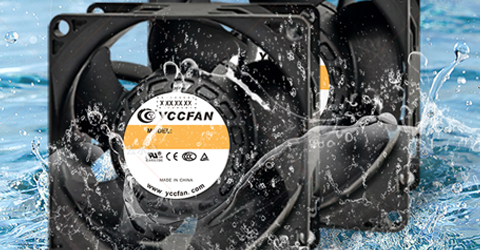
If your cooling fan will operate in dusty, humid, or outdoor conditions, airflow specs alone aren’t enough. Environmental exposure can reduce performance over time—through dust buildup, corrosion, or moisture ingress—so IP protection and material choices start to matter more. YCCFAN notes that outdoor use is possible, but selecting a fan with a suitable IP rating and corrosion protection is important for weather resistance and long-term reliability.
Read more
https://www.yccfan.com/articledetail/how-to-choose-the-right-computer-cooling-fan.html
https://www.yccfan.com/articledetail/what-are-the-different-types-of-cooling-fans.html
Conclusion
Finally, selection matters as much as control. If airflow must travel through tight ducts or restrictive heatsinks, a micro blower cooling fan is often the better fit thanks to stronger performance against resistance. Pair the right fan type with a thoughtful kick-on strategy, and you’ll get a system that stays cool, sounds smoother, and lasts longer in real-world use.


