




Industrial Cooling Fans Maintenance Checklist: Cleaning, Bearings, and Performance Tests
Industrial cooling fans are often treated as “set-and-forget” equipment, but in real operations, their reliability depends heavily on routine maintenance. Running long hours in hot, dusty, and sometimes oily environments means even small issues—like dirt buildup or loose connections—can quickly escalate into airflow loss, vibration, or motor overheating. A clear, practical maintenance checklist helps keep industrial cooling fans efficient, stable, and predictable, while avoiding unplanned downtime and costly repairs.
Industrial Cooling Fan Maintenance Checklist (Overview Table)
Maintenance Area | Key Tasks | Typical Frequency | Main Risk If Ignored |
Cleaning & inspection | Blades, housing, airflow paths | Monthly / Quarterly | Airflow loss, noise |
Bearings & lubrication | Grease, wear check | Every 3–6 months | Bearing seizure |
Mechanical condition | Belts, fasteners, alignment | Quarterly | Vibration, fatigue |
Electrical condition | Wiring, terminals, grounding | Quarterly / Annually | Motor overheating |
Performance testing | Vibration, airflow, temperature | Quarterly / Annually | Sudden failure |
Why Regular Maintenance Is Critical for Industrial Cooling Fans
Regular maintenance is essential for keeping an industrial cooling fan running smoothly and efficiently, which helps prevent unexpected breakdowns and costly motor damage. In many industrial settings, fans operate continuously in hot, dusty, and oily environments, where even small issues can escalate quickly. Things like dirt buildup, loose mounts, or neglected filters can cause airflow reductions, increase vibration, wear down bearings, and lead to overheating. From experience, most“fan failures”are often due to missed cleaning, lubrication, or inspections—rather than issues with the fan’s design.
Cleaning and Visual Inspection (Monthly / Quarterly)
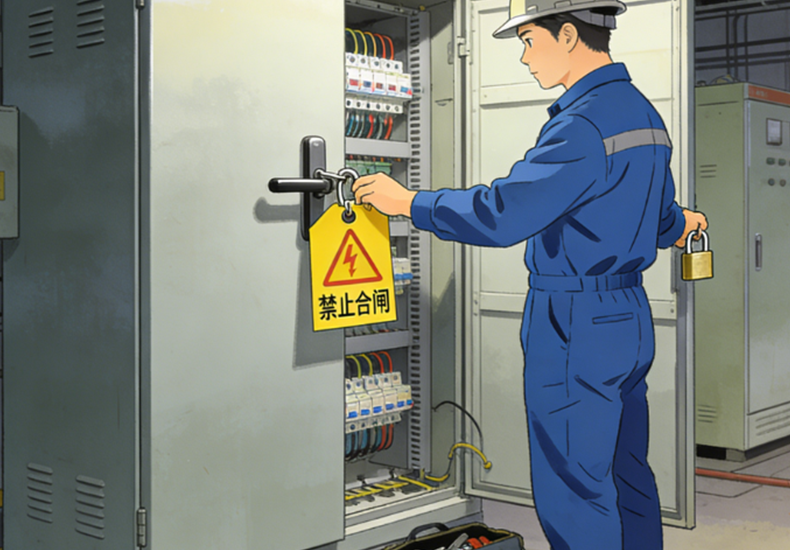
1.Safety First (Before Any Maintenance)
Before performing any work on an industrial cooling fan, make sure all power sources are fully isolated. Apply proper lockout/tagout procedures and confirm the fan cannot start or rotate unexpectedly. This basic step is critical—it’s the simplest way to prevent serious injury during routine maintenance.
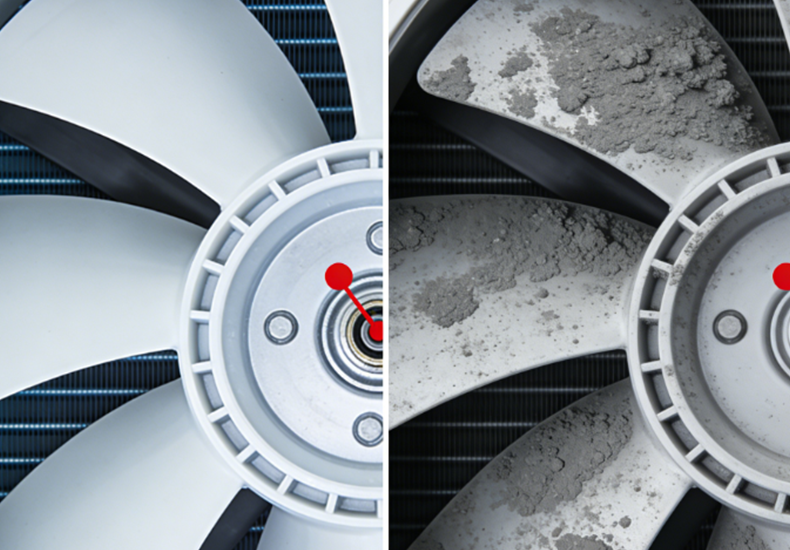
2.Fan Blade Cleaning
Keeping fan blades clean helps maintain smooth airflow and stable operation. Dust, grease, and debris can be removed with a soft brush, vacuum, or lightly damp cloth, taking care to keep moisture away from the motor and electrical components. In real-world maintenance, even light, uneven buildup can upset balance in high-speed fans, which is why blade cleaning often leads to an immediate reduction in vibration and noise.
3.Housing, Guard, and Motor Vent Cleaning
A clean fan assembly supports better heat dissipation. Regularly remove dust from the housing, protective guards, and especially the motor’s ventilation openings. When vents are partially blocked, heat can accumulate inside the motor, raising operating temperature and accelerating insulation and bearing wear over time.
4.Airflow Path Inspection
Clear airflow is just as important as the cooling fan industrial itself. Inspect intakes, filters, louvers, and surrounding areas to ensure air can enter and exit freely. Any obstruction near the inlet or outlet increases system resistance, forcing the industrial cooling fan to work harder—often resulting in higher noise levels, increased load, and reduced cooling effectiveness where it matters most.
Cleaning and Visual Inspection for Cooling Fan Industrial (Monthly / Quarterly)
1.Safety First Before Cooling Fan Industrial Maintenance
Before working on an industrial cooling fan, make sure every power source is fully isolated. Use lockout/tagout on all circuits and then physically confirm the fan can’t start, coast, or be turned by belt tension or airflow.
From real maintenance experience, fans are often connected to multiple control paths, and “leftover” movement is easy to miss. Taking an extra moment to verify the fan is truly inactive is one of the simplest ways to avoid serious accidents during routine checks.
2.Industrial Cooling Fan Blade Cleaning
Clean blades keep airflow stable and help the fan run smoothly. Remove dust, grease, and debris with a soft brush, vacuum, or lightly damp cloth, and keep moisture away from the motor and wiring.
In field service, small buildup is often the root cause of “unexpected” vibration. Even a thin, uneven layer of dust can shift balance on high-speed industrial cooling fans, increasing vibration, bearing load, and noise. It’s common to see vibration complaints improve immediately once the blades are properly cleaned.
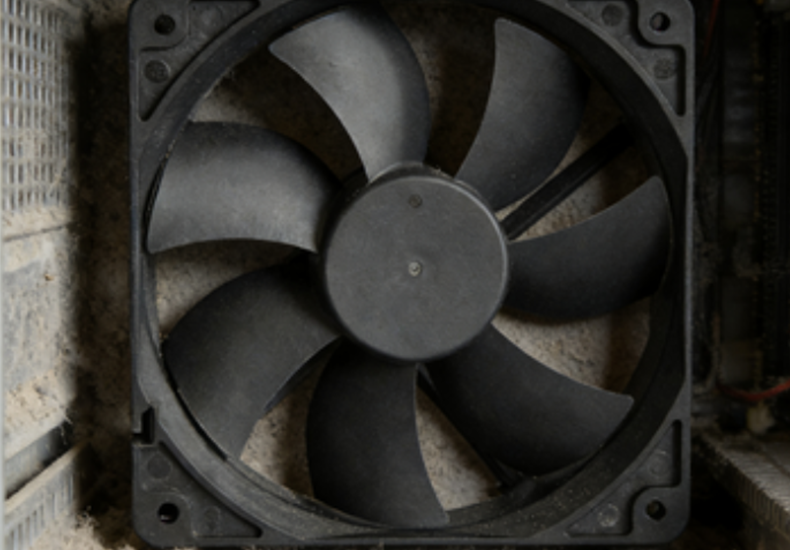
3.Housing, Guard, and Motor Vent Cleaning
Keeping the housing and motor vents clear supports normal heat dissipation. Regularly remove dust from the cooling fan housing, safety guards, and especially the motor’s ventilation openings.
In real plant environments—dust, oil mist, fibers—vents tend to clog gradually, so the problem builds quietly. Once airflow through the motor is restricted, internal temperature rises, insulation ages faster, and bearing wear accelerates. Vent cleaning is a low-effort task that often delivers a big payoff in service life.
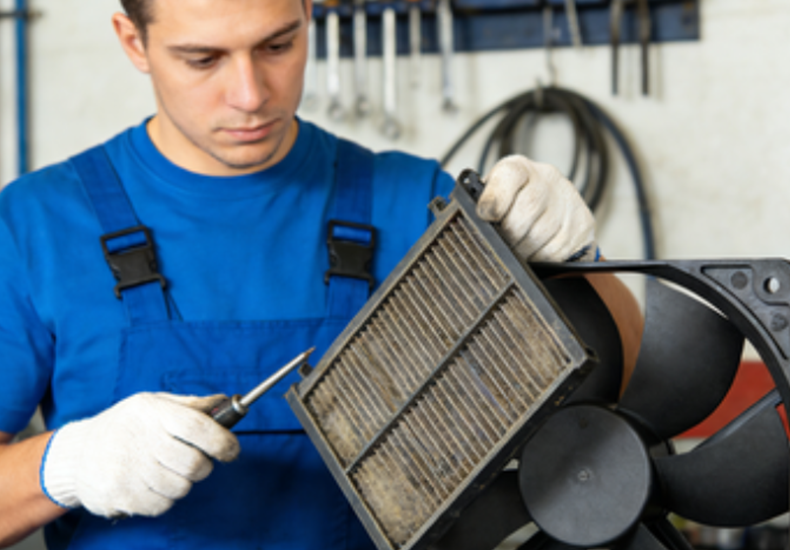
4.Airflow Path Inspection for Industrial Cooling Systems
An industrial cooling fan can only perform well if the airflow path around it stays open. Check intakes, filters, louvers, and nearby areas to make sure air can enter and exit freely.
From hands-on experience, many cooling issues aren’t caused by the fan at all—boxes stacked near an inlet, filters left too long, or duct changes that were never rechecked. These restrictions increase resistance and make the fan work harder than intended, which often shows up later as higher noise, higher current draw, and weaker cooling where it’s actually needed.
Electrical and Safety Checks for Cooling Fans (Quarterly / Annually)
1.Electrical Connection Inspection and Grounding
Electrical problems often begin subtly but can escalate into serious reliability issues. Loose terminals, oxidized contacts, or wiring that shows signs of heat discoloration all increase resistance, leading to extra heat and unstable operation. During inspections, check for corrosion, loose fasteners, and damaged insulation—especially where cables enter the fan housing or where vibration is most pronounced. Grounding should also be verified carefully; in real installations, poor grounding is a common cause of intermittent faults that are hard to diagnose and can result in nuisance trips or premature component failure.
2.Motor Temperature and Load Monitoring
An increase in motor temperature is usually an early warning rather than a normal condition. Measure surface temperature during operation, compare it with the motor’s rated limits, and watch how it changes over time—steady upward trends are often more telling than one high reading. In day-to-day maintenance, elevated motor temperatures are frequently linked to restricted airflow, higher-than-expected load, or growing mechanical drag, often from bearings. Addressing these signs early helps avoid insulation breakdown, repeated shutdowns, and costly motor damage.
Read more:
https://www.yccfan.com/articledetail/why-are-blower-fans-so-loud.html
https://www.yccfan.com/articledetail/what-is-a-blower-fan-used-for.html
Conclusion
Effective industrial cooling fan maintenance isn’t about complex tools or major overhauls—it’s about consistency. Regular cleaning, basic inspections, lubrication checks, and simple performance monitoring catch problems early, when they’re easiest and cheapest to fix. In practice, most fan failures trace back to skipped routine tasks rather than design flaws. Following a structured maintenance schedule keeps airflow steady, extends component life, and ensures cooling performance stays reliable where it matters most.
FAQ
1.How often should an industrial cooling fan be cleaned?
Typically monthly in dusty areas, and at least quarterly in normal environments.
2.What are the signs an industrial cooling fan bearing is failing?
Squealing/grinding noise, higher vibration, heat at the bearing area, or rough rotation by hand (power off).
3.How do I know if my industrial cooling fan is losing airflow?
Rising equipment temperature, weaker exhaust flow, higher motor current, or more frequent thermal alarms.
4.Should I lubricate every industrial cooling fan bearing?
Only if it’s a lubricatable bearing type—sealed bearings should not be greased unless specified by the manufacturer.
5.What performance checks matter most for an industrial cooling fan?
Vibration level, motor temperature, current draw, and whether airflow is consistent under real operating conditions.


