



Why Does a DC Fan Get Louder After Installation?
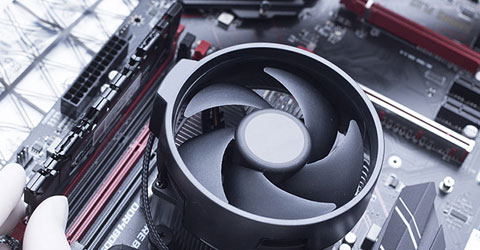
A DC cooling fan may run quietly on a test bench but become noticeably louder after installation in an electronic enclosure. The fan itself may still be working normally. Nearby components can disturb airflow, mounting points can transmit vibration into the chassis, and temperature-based speed control may change how fast the fan operates.
For engineers designing power supplies, industrial controllers and communication equipment, the important question is what changed between the original test and the finished installation.
Replacing the fan with a model that has a lower published noise rating may help in some cases, but it will not necessarily solve an airflow or enclosure vibration problem. A better approach is to compare operating conditions, identify the noise source and verify any changes against the equipment's cooling requirements.
Quick Answer: Why Is a DC Fan Louder Inside an Enclosure?
A DC fan can get louder after installation because airflow is disturbed by nearby walls, filters or grilles; vibration is transferred to the enclosure; or the fan operates at a different speed under normal equipment conditions.
Even when RPM remains unchanged, the installed fan may sound different because the airflow path and surrounding structure have changed.
Start by comparing fan speed, supply voltage, measurement position and operating conditions. Then check for inlet restrictions, mounting vibration and signs of mechanical damage before deciding whether to replace the fan.
Why Does Installed Fan Noise Differ From the Datasheet Rating?
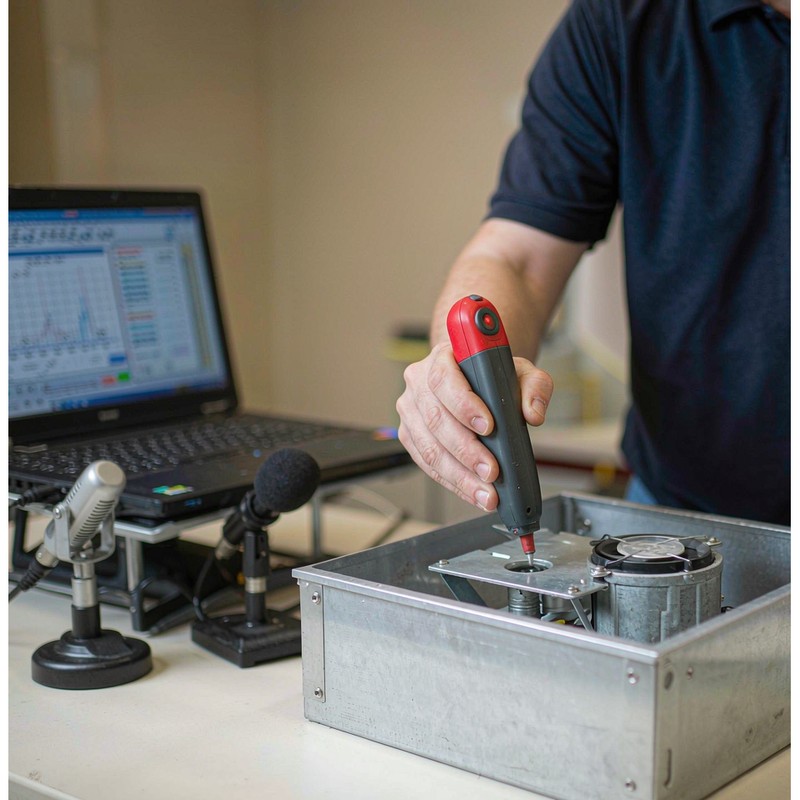
A fan's published noise rating is measured under specified test conditions. It is useful for comparing fan configurations, but it does not guarantee the same sound pressure level inside a finished product.
In a laboratory or catalog test, the fan is measured using a particular arrangement, operating speed and acoustic environment. Inside an electronic enclosure, the fan interacts with nearby panels, heat sinks, wiring, protective grilles and the equipment's airflow resistance.
These changes can affect both the sound generated by the fan and the sound that reaches the measurement point.
Which Noise Measurement Conditions Must Match?
Engineers should avoid comparing measurements taken under substantially different conditions.
| Test condition | Why it matters |
|---|---|
| Actual fan RPM | A faster-running fan can produce a different noise level and sound spectrum |
| Supply voltage and control setting | Changes in power or control may alter speed and motor behavior |
| Microphone position and distance | Sound pressure measurements depend on where they are taken |
| Test environment | Reflections and background noise can influence the reading |
| Equipment load and temperature | Thermal controls may change fan speed as the equipment warms up |
| Fan mounting and airflow path | Nearby components and structural vibration can affect installed noise |
For a meaningful before-and-after comparison, record these conditions and keep them as consistent as practical.
A handheld sound-level reading taken beside an enclosure should not be treated as directly equivalent to a manufacturer's catalog dB(A) figure unless the measurement conditions are compatible.
Can the Fan Sound Louder at the Same RPM?
Yes. Installed fan noise can increase even when RPM remains constant.
A restrictive grille may create additional airflow disturbance, while a thin panel can amplify vibration transmitted through the fan frame. Neither effect requires a change in rotational speed.
Matching RPM is therefore an important diagnostic step, but it does not eliminate the need to inspect the installation.
How Do Airflow Restrictions Change DC Fan Noise?
The airflow around an axial fan depends on the surrounding geometry.
When a fan operates with relatively open inlet and outlet paths, the airflow may be more uniform than it is inside a compact enclosure. A nearby wall, heat sink or grille can disturb the flow before or after it passes through the impeller.
Depending on the fan and installation, these disturbances may produce rushing, whistling or tonal noise.
Greater airflow resistance does not automatically make every fan louder. The result depends on the fan design, system operating point and location of the obstruction.
Inlet Clearance and Nearby Components
In small electronic devices, the fan may be installed close to a printed circuit board, heat sink or enclosure wall.
If a substantial part of the fan inlet is blocked, air can enter unevenly. This may change both cooling performance and acoustic behavior.
Consider a compact 40mm fan in a power electronics enclosure. It may run quietly during an unobstructed bench test but sound different when mounted close to internal components.
The engineering check is to examine the fan inlet, available clearance and nearby obstructions—not to assume the fan must be replaced.
Grilles, Filters and Exhaust Openings
Protective grilles and filters can also influence acoustic performance.
Grille geometry, blade clearance and the available open area affect how air moves around the fan. A narrow exhaust path or sharply turning duct can further change system resistance.
Where the equipment design allows, engineers can compare alternative grille positions or airflow arrangements under controlled conditions.
Finger guards and other safety-critical components must not be removed during normal equipment operation. Any acoustic improvement must also be verified against the required cooling performance.
How Can Fan Mounting and Enclosure Vibration Increase Noise?
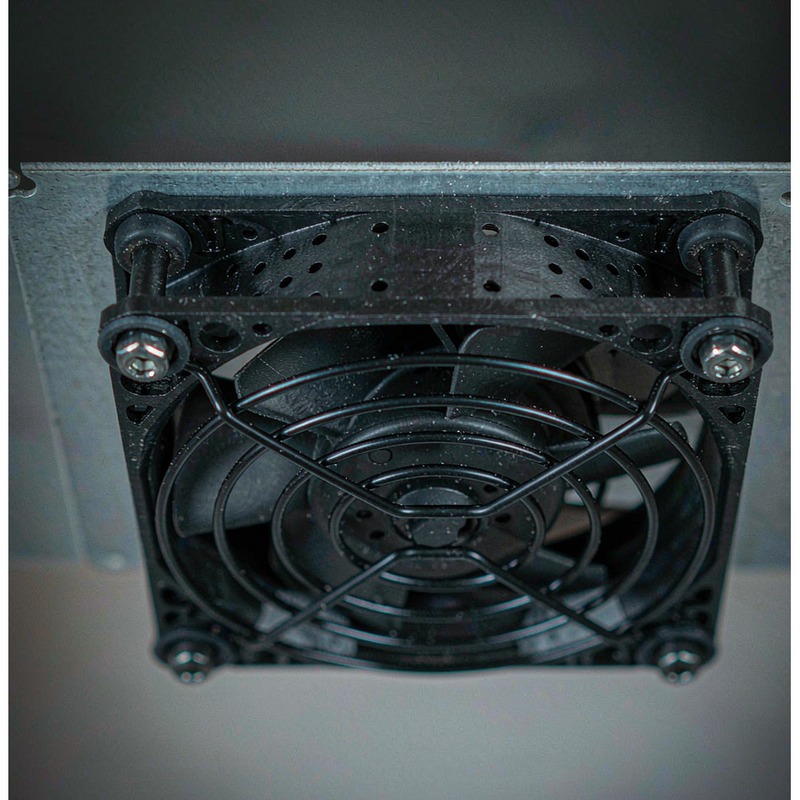
A rotating fan produces mechanical vibration, even when it is operating normally. After installation, some of that vibration may pass through the mounting points into the enclosure.
A metal panel or plastic housing can then radiate additional sound.
If the surrounding structure responds strongly at a particular operating frequency, the enclosure may produce a hum, buzz or rattle that was not noticeable during the original fan test.
What Are the Signs of Structural Resonance?
Structural vibration may be suspected when:
- A hum or buzz appears mainly after the fan is mounted.
- A nearby panel vibrates strongly while the fan operates.
- The sound becomes more prominent within a narrow RPM range.
- The noise changes after an approved mounting or structural modification.
These signs help direct further testing; they do not conclusively identify resonance.
Engineers can compare vibration at the fan frame and surrounding panels using suitable measurement equipment. If an abnormal response occurs only within a limited speed range, the mounting structure and its natural frequencies should be investigated.
Properly selected vibration-isolating mounts may help reduce structure-borne noise, but they must maintain secure attachment, alignment and clearance. An unsuitable isolator can introduce other vibration problems.
Is the Extra Noise Normal Installation Noise or a Fan Fault?
Not every change in sound indicates a defective fan.
A change in airflow sound after installation may result from the system geometry. A new metallic scraping noise, severe vibration or irregular mechanical contact, however, deserves immediate inspection.
The following distinctions can help prioritize the investigation.
| Noise symptom | Possible source | First action |
|---|---|---|
| Steady rushing sound near an inlet or grille | Airflow disturbance | Check obstructions and opening geometry |
| High-pitched whistle around a restricted opening | Aerodynamic interaction | Examine grille, duct and clearance |
| Low-frequency hum transmitted through a panel | Structure-borne vibration | Inspect mounting and measure vibration |
| Rattle appearing at a certain speed | Loose component or resonance | Check hardware, contact and RPM range |
| Noise increases after equipment warm-up | Temperature-controlled speed increase | Record actual RPM and temperature |
| Grinding, scraping or repeated mechanical contact | Possible fan damage or obstruction | Stop operation and inspect before further testing |
| Unusual noise remains in a comparable reference setup | Possible fan-specific fault | Inspect the fan and assess replacement |
These observations are not substitutes for physical inspection or controlled measurements.
A fan showing severe mechanical vibration, scraping or visible damage should not continue running solely to collect noise data.
How Should Engineers Troubleshoot a DC Fan That Gets Louder After Installation?
The most useful diagnostic process compares the same fan under known conditions and changes one relevant variable at a time.
Step 1: Record the Original Test Conditions
Start with the exact fan model and configuration, including rated voltage, operating RPM, mounting position and noise measurement conditions.
If the original bench-test data are available, record the microphone distance and position, ambient temperature and any control settings.
This establishes a reference for later comparisons.
Step 2: Measure the Fan in the Installed Equipment
Operate the fan in the completed enclosure under its intended operating conditions.
Record RPM, voltage, control setting, equipment load, operating temperature and the acoustic measurement position.
Determine whether the noise appears immediately, increases during warm-up or occurs only within a particular speed range.
A fan that runs faster after equipment warm-up may sound louder even without any installation-induced airflow or vibration problem.
Step 3: Compare Conditions at the Same RPM
Where the fan and equipment allow safe speed control, compare the original and installed arrangements at approximately the same actual RPM.
Keep the measurement position and test environment consistent where practical, and document differences that cannot be eliminated.
If the noise remains substantially higher in the installed condition at matched RPM, investigate airflow restrictions and structural vibration.
If the difference largely disappears when speeds match, the change in operating speed is likely an important contributor.
This comparison identifies a useful direction for further testing; it does not by itself establish a single cause.
Step 4: Examine the Airflow Path and Mounting
Inspect the inlet and outlet for nearby obstructions, restrictive grilles and unintended contact with wires or surrounding components.
Check the mounting fasteners, frame alignment and surrounding panels.
If controlled design changes are possible, compare one modification at a time while preserving the equipment's safety requirements.
A change in noise after adjusting a permissible mounting or airflow detail can help locate the problem.
Step 5: Verify Thermal and Acoustic Performance Together
Once a quieter arrangement has been identified, test the equipment under representative thermal conditions.
Confirm that the cooling system still provides adequate airflow and keeps critical components within their allowable temperature limits.
A solution that reduces noise but causes overheating is not an acceptable final design.
Should You Replace the DC Fan or Modify the Enclosure?
The answer depends on what the tests reveal.
| Engineering finding | Recommended direction |
|---|---|
| Fan is quiet in the reference setup but louder when installed | Investigate enclosure airflow and mounting |
| Noise changes when an approved grille or clearance arrangement is modified | Review airflow geometry |
| Strong panel vibration occurs at specific RPM values | Investigate mounting and structural resonance |
| Fan makes abnormal mechanical noise under comparable reference conditions | Inspect the fan and consider replacement |
| Lower RPM improves noise but causes unacceptable temperatures | Reassess required airflow and fan performance |
| Different fan models meet thermal requirements but differ in installed noise | Compare candidate models under the same system conditions |
The decision should be based on the source of the noise and the cooling requirement, not only on a catalog dB(A) value.
Why Doesn't a Lower-dBA DC Fan Always Solve Installed Noise?
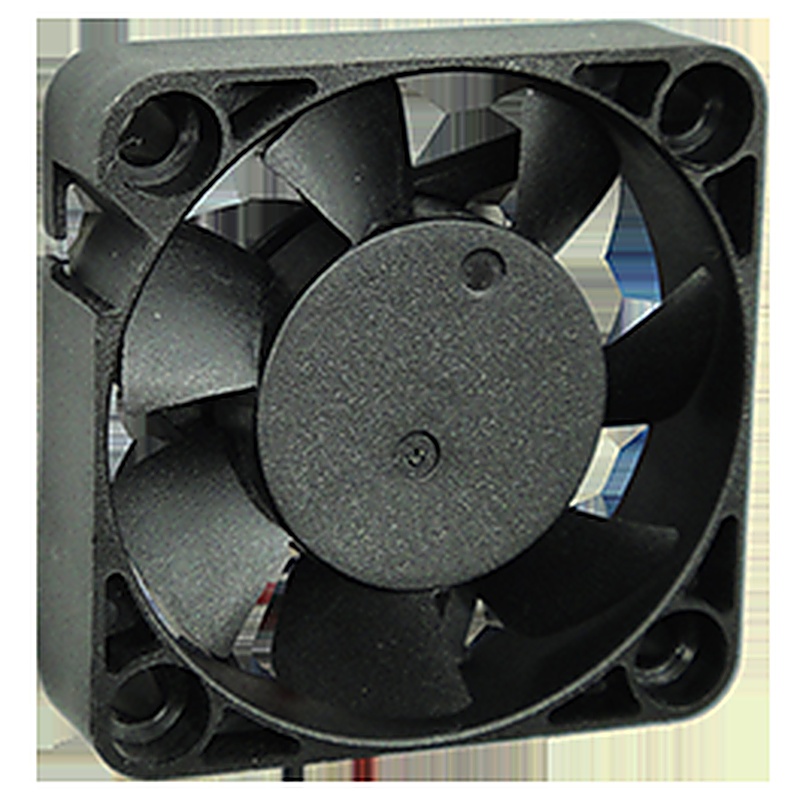
A fan with a lower published noise rating may be quieter under its catalog test conditions, but this does not guarantee that it will be quieter in every enclosure.
Consider the published specifications for YCCFAN's DC4010F, a 40×40×10mm axial cooling fan series with 5V, 12V and 24V configurations.
Three of its 24V variants have different speed, airflow, pressure and noise ratings.
| DC4010F 24V model | Speed | Maximum airflow | Maximum static pressure | Rated noise |
|---|---|---|---|---|
| YDH4010X24F | 8,000 RPM | 8.80 CFM | 5.39 mmH₂O | 31.10 dBA |
| YDM4010X24F | 6,500 RPM | 7.15 CFM | 3.56 mmH₂O | 26.60 dBA |
| YDL4010X24F | 5,000 RPM | 5.50 CFM | 2.10 mmH₂O | 20.90 dBA |
These figures are YCCFAN's published catalog specifications. Maximum airflow and maximum static pressure correspond to different performance conditions; they should not be interpreted as simultaneous operating values. The noise figures are not measurements of these fans in a finished customer enclosure.
The 5,000 RPM model has the lowest published noise rating of the three. It may be suitable for equipment with relatively modest cooling requirements.
However, if the enclosure has substantial airflow resistance, that lower-output variant may not provide sufficient cooling. A higher-output model could be necessary to meet the thermal requirement.
The installed acoustic result also depends on mounting and airflow conditions. A lower catalog noise figure alone cannot establish which variant will produce the lowest acceptable noise in a particular device.
For this reason, engineers should compare the fan's performance curve with the system resistance, shortlist suitable variants and evaluate them in the actual enclosure.
The purpose of this comparison is not to suggest that a 20.90 dBA fan becomes louder than a 31.10 dBA fan after installation. It is to show why catalog noise, cooling performance and installed system noise must be assessed separately.
YCCFAN offers DC fan configurations for compact electronics and industrial equipment. When discussing a noise-related application, engineers can provide the available installation space, operating voltage, required cooling performance, mounting arrangement and observed noise characteristics to support model selection.
FAQs About DC Fan Noise After Installation
1. Why does my DC fan get louder when I install it in a metal enclosure?
The metal enclosure may transmit or amplify mechanical vibration, while nearby walls and grilles can disturb airflow. Compare the fan's RPM and mounting conditions before assuming it is defective.
2. Can a cooling fan become noisier without increasing its RPM?
Yes. The same fan can produce different noise when airflow conditions or the surrounding structure change. Equal RPM does not guarantee equal installed sound levels.
3. How can I tell whether fan noise comes from airflow or vibration?
Rushing or whistling often suggests an airflow-related issue, while humming or panel rattling may indicate structural vibration. Inspect the airflow path and mounting, then use controlled measurements to confirm the cause.
4. Will rubber mounts or lower fan speed solve enclosure noise?
They may help, depending on the cause. Vibration isolators can reduce structure-borne noise in suitable installations, while lower RPM may reduce some noise components. Both approaches require verification of mounting safety and cooling performance.
5. Should I select the DC fan with the lowest dBA rating?
Not necessarily. Compare noise ratings under compatible test conditions, but also check airflow, static pressure and the system operating point. Final acoustic performance should be verified in the finished enclosure.
Conclusion
A DC fan that gets louder after installation is not necessarily faulty or incorrectly selected.
The surrounding enclosure may change its airflow conditions, transmit vibration or introduce resonance. Differences in operating speed and measurement setup can also make the installed fan sound louder than expected.
The most effective approach is to compare the same fan under documented conditions, check the airflow path and mounting, and confirm the source of the additional noise before selecting a solution.
For OEM equipment, the final choice must satisfy both acoustic and thermal requirements.
YCCFAN supports DC cooling fan selection for electronic and industrial applications. Share the equipment's mounting dimensions, voltage, cooling requirements and observed noise conditions to discuss a suitable fan configuration.