



Industrial Cooling Fans Maintenance Checklist: Cleaning, Bearings, and Performance Tests
Introduction
Industrial cooling fan maintenance should cover power isolation, blade and airflow-path cleaning, bearing condition checks, electrical inspection, fastener checks, and performance comparison against a recorded baseline. Inspection frequency should be adjusted according to operating hours, dust, oil mist, ambient temperature and equipment criticality rather than applying one fixed schedule to every fan.
Industrial cooling fans are often treated as “set-and-forget” equipment, but in real operations, their reliability depends heavily on routine maintenance. Running long hours in hot, dusty, and sometimes oily environments means even small issues—like dirt buildup or loose connections—can quickly escalate into airflow loss, vibration, or motor overheating. A clear, practical maintenance checklist helps keep industrial cooling fans efficient, stable, and predictable, while avoiding unplanned downtime and costly repairs.
Industrial Cooling Fan Maintenance Checklist (Overview Table)
Maintenance Area | Key Tasks | Typical Frequency | Main Risk If Ignored | What to Record |
Cleaning & inspection | Blades, housing, airflow paths | Monthly / Quarterly | Airflow loss, noise | Dust level, blockage and visible damage |
Bearings & lubrication | Grease, wear check | Every 3–6 months | Bearing seizure | Noise, temperature and vibration trend |
Mechanical condition | Belts, fasteners, alignment | Quarterly | Vibration, fatigue | Loose parts and mounting condition |
Electrical condition | Wiring, terminals, grounding | Quarterly / Annually | Motor overheating | Voltage, current and signs of heat damage |
Performance testing | Vibration, airflow, temperature | Quarterly / Annually | Sudden failure | Baseline and current readings |
These intervals are general starting points. Maintenance frequency should be shortened for fans operating continuously or in environments with heavy dust, fibers, oil mist, high humidity or elevated temperatures. Always follow the fan and equipment manufacturer’s instructions when they specify a different interval.
Why Regular Maintenance Is Critical for Industrial Cooling Fans
Regular maintenance is essential for keeping an industrial cooling fan running smoothly and efficiently, which helps prevent unexpected breakdowns and costly motor damage. In many industrial settings, fans operate continuously in hot, dusty, and oily environments, where even small issues can escalate quickly. Things like dirt buildup, loose mounts, or neglected filters can cause airflow reductions, increase vibration, wear down bearings, and lead to overheating. From experience, most“fan failures”are often due to missed cleaning, lubrication, or inspections—rather than issues with the fan’s design.
Performance loss usually develops gradually. Dust first reduces the effective blade area or blocks the inlet, which lowers airflow and raises equipment temperature. Uneven buildup may then increase imbalance, vibration and bearing load. If these changes are not recorded during routine industrial cooling fan maintenance, the first visible warning may be a thermal alarm, abnormal noise or an unexpected shutdown.
Cleaning and Visual Inspection (Monthly / Quarterly)
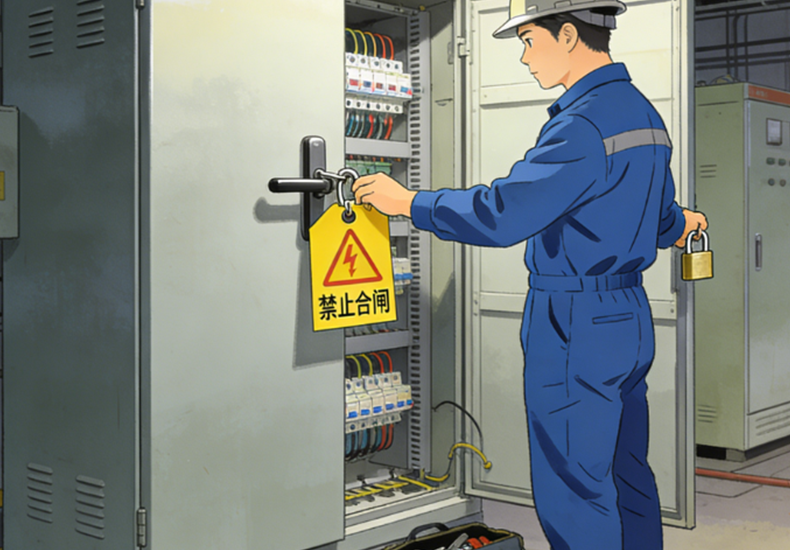
1.Safety First (Before Any Maintenance)
Before performing any work on an industrial cooling fan, make sure all power sources are fully isolated. Apply proper lockout/tagout procedures and confirm the fan cannot start or rotate unexpectedly. This basic step is critical—it’s the simplest way to prevent serious injury during routine maintenance.Isolation should include every possible source of electrical, mechanical or control energy. After lockout/tagout, wait until the impeller has stopped completely and verify that stored energy, automatic control signals or airflow cannot restart or rotate the fan.
2.Fan Blade Cleaning
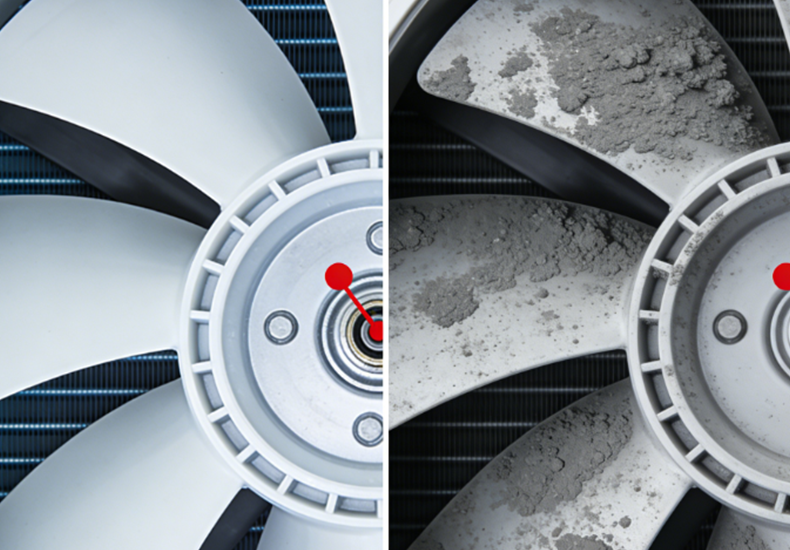
Keeping fan blades clean helps maintain smooth airflow and stable operation. Dust, grease, and debris can be removed with a soft brush, vacuum, or lightly damp cloth, taking care to keep moisture away from the motor and electrical components. In real-world maintenance, even light, uneven buildup can upset balance in high-speed fans, which is why blade cleaning often leads to an immediate reduction in vibration and noise.Prevent the impeller from rotating freely while vacuuming or using low-pressure compressed air. High-speed free rotation can generate voltage in some motor designs and may place unnecessary load on the bearing. Clean both sides of the blades evenly because partial cleaning can leave the rotor unbalanced.
3.Housing, Guard, and Motor Vent Cleaning
A clean fan assembly supports better heat dissipation. Regularly remove dust from the housing, protective guards, and especially the motor’s ventilation openings. When vents are partially blocked, heat can accumulate inside the motor, raising operating temperature and accelerating insulation and bearing wear over time.Inspect the guard and housing for cracks, corrosion, deformation or contact marks. Rubbing marks between the impeller and housing may indicate loose mounting, mechanical distortion or excessive bearing clearance rather than a simple cleaning problem.
4.Airflow Path Inspection
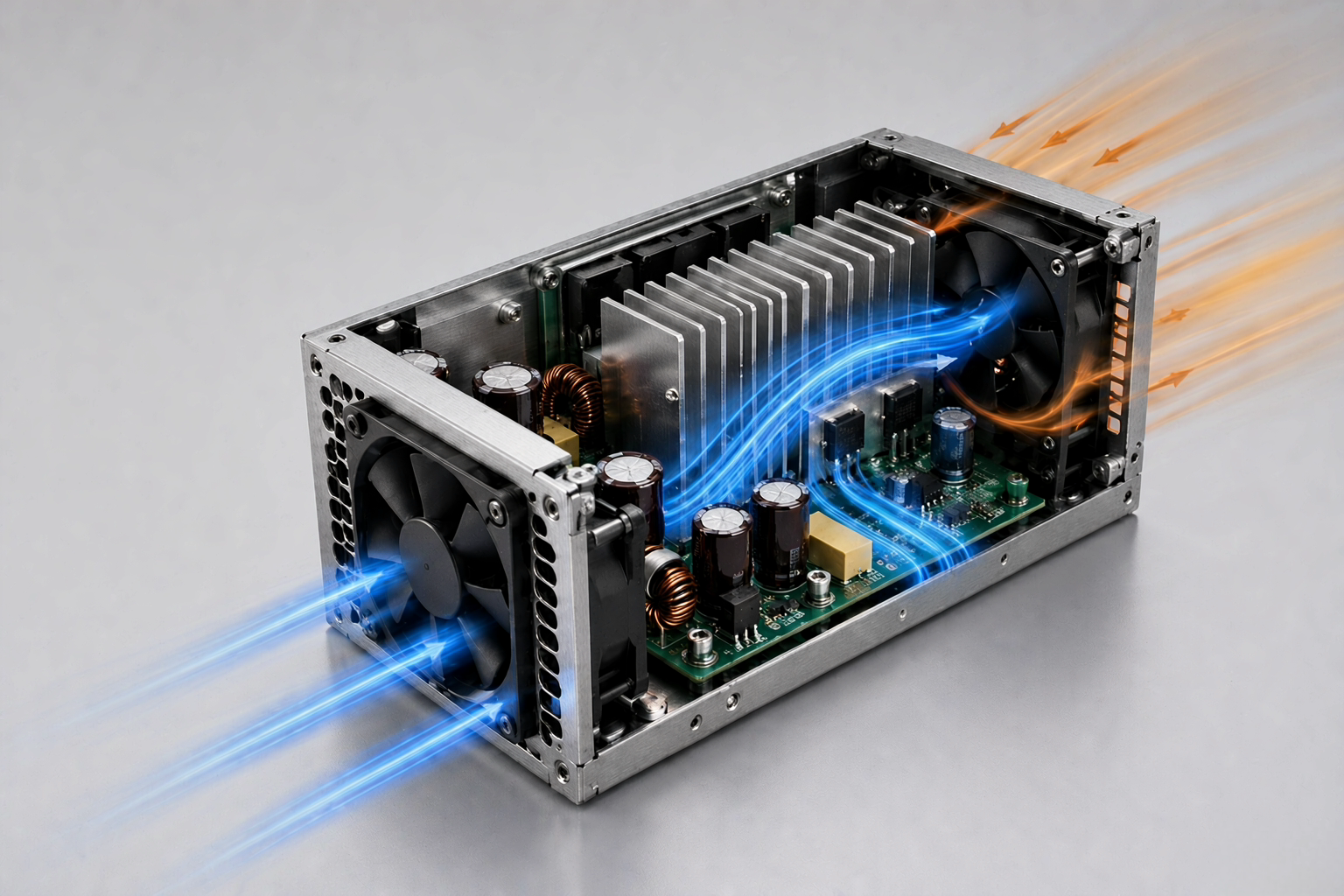
Clear airflow is just as important as the cooling fan industrial itself. Inspect intakes, filters, louvers, and surrounding areas to ensure air can enter and exit freely. Any obstruction near the inlet or outlet increases system resistance, forcing the industrial cooling fan to work harder—often resulting in higher noise levels, increased load, and reduced cooling effectiveness where it matters most.Record the condition of filters, louvers, heat sinks, ducts and cable bundles near the inlet or outlet. A clean fan can still deliver insufficient cooling when the surrounding airflow path creates excessive resistance.
Cleaning and Visual Inspection for Cooling Fan Industrial (Monthly / Quarterly)
Cleaning requirements for a cooling fan in industrial equipment depend on the contaminants around the installation. Dust, oil mist, fibers and moisture affect the fan differently, so the same cleaning method and interval may not be suitable for every application.
1.Industrial Cooling Fans in Dusty Environments
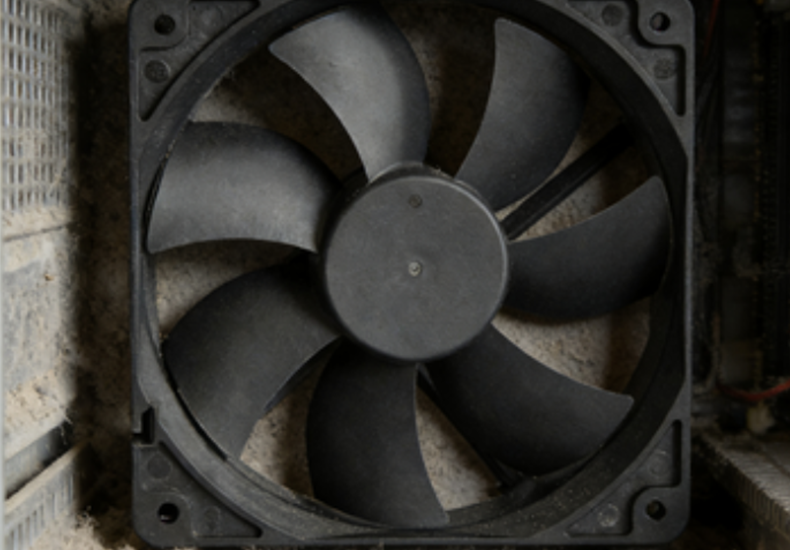
Fine dust collects on blades, guards, filters and heat sinks. Inspect these installations more frequently and record how quickly visible buildup returns. If airflow drops soon after cleaning, check the filter area and system resistance instead of simply increasing fan speed.
2.Industrial Cooling Fan Blade Cleaning in Oil-Mist Areas
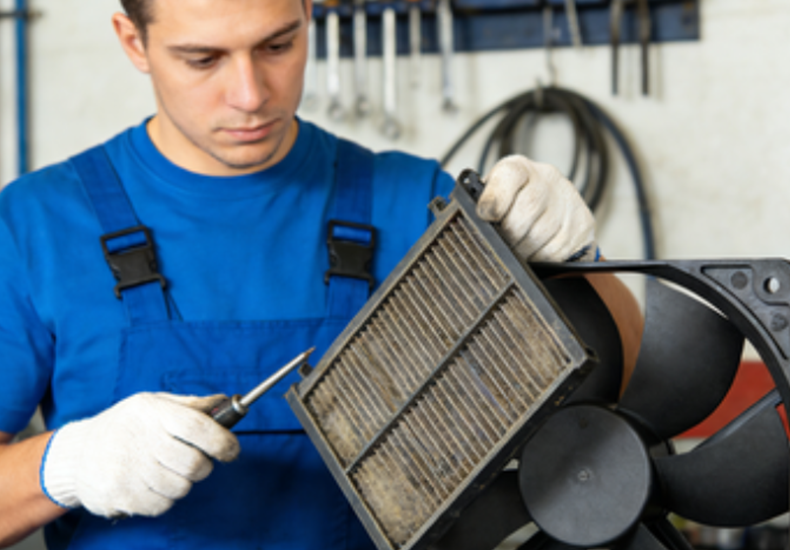
Oil mist creates a sticky layer that attracts additional dust and can cause uneven blade buildup. Use a cleaning method compatible with the blade, housing and motor materials. Do not allow cleaning fluid to enter the motor, bearing or electrical connector.
3.Cooling Fan Industrial Applications with Fibers
Textile fibers, packaging debris and lightweight particles can wrap around guards, hubs or nearby components. Inspect both the visible blade surface and the inlet side because fiber blockage may develop behind a guard while the front of the fan still appears clean.
4.Airflow Path Inspection for Industrial Cooling Systems
In cabinets and industrial cooling systems, review the entire airflow path after filters, internal components or ducting have been changed. A fan may remain mechanically healthy while delivering less installed airflow because the system resistance has increased.
Industrial Cooling Fan Bearing Inspection and Lubrication
Identify the Cooling Fan Bearing Type First
Identify the bearing type before attempting lubrication. Compact industrial cooling fans may use sleeve bearings, ball bearings, sealed bearings or manufacturer-specific bearing systems. Sealed and lubricated-for-life bearings normally should not be opened or regreased unless the product instructions specifically allow it.
For serviceable bearings, confirm the lubricant type, quantity and relubrication interval. Adding too much grease, using an incompatible lubricant or mixing greases with different bases may increase bearing temperature and shorten service life.
Signs of Industrial Cooling Fan Bearing Wear
| Observed Condition | Possible Bearing Problem | Recommended Check |
| Grinding or metallic noise | Bearing surface damage or contamination | Stop the fan and check rotation |
| Squealing noise | Lubrication, alignment or bearing wear | Confirm bearing type and installation |
| Rough rotation with power off | Mechanical damage or contamination | Inspect or replace the fan assembly |
| Rising bearing temperature | Excess load, incorrect lubrication or wear | Compare temperature and current with baseline |
| Increasing vibration | Bearing wear, imbalance or loose mounting | Clean, tighten and repeat the vibration test |
| Excessive shaft movement | Bearing clearance or structural wear | Replace the bearing or fan assembly |
How to Check the Bearing Safely
After isolating power, rotate the impeller slowly by hand where the design allows safe access. Rotation should feel smooth and consistent, without grinding, sticking or excessive side movement. During operation, compare bearing-area temperature, noise and vibration with previously recorded readings under the same voltage, speed and load conditions.
When Lubrication Is Not Enough
Lubrication cannot repair worn bearing surfaces, damaged races, excessive clearance or corrosion. Replace the bearing or fan assembly when abnormal noise, rough rotation, repeated temperature rise or vibration remains after cleaning, mounting and airflow restrictions have been checked.
Mechanical Inspection for Industrial Cooling Fans
Check mounting screws, guards, brackets, vibration isolators and surrounding panels. Loose fasteners can create noise that is easily mistaken for bearing failure. Look for contact marks, cracked blades, deformed guards, damaged mounts and changes in the distance between the impeller and housing.
If the fan uses a belt or external drive, inspect belt tension, pulley alignment and wear according to the equipment manufacturer’s instructions. Excessive tension can increase bearing load, while insufficient tension can cause speed loss and unstable airflow.
Electrical and Safety Checks for Cooling Fans (Quarterly / Annually)
1.Electrical Connection Inspection and Grounding
Electrical problems often begin subtly but can escalate into serious reliability issues. Loose terminals, oxidized contacts, or wiring that shows signs of heat discoloration all increase resistance, leading to extra heat and unstable operation. During inspections, check for corrosion, loose fasteners, and damaged insulation—especially where cables enter the fan housing or where vibration is most pronounced. Grounding should also be verified carefully; in real installations, poor grounding is a common cause of intermittent faults that are hard to diagnose and can result in nuisance trips or premature component failure.Record the fan’s operating voltage and current after the equipment reaches a stable condition. Higher current than the previous baseline may indicate increased mechanical resistance, blocked airflow, incorrect voltage or motor deterioration. Lower current combined with lower speed may point to a supply, control or connection problem.
2.Motor Temperature and Load Monitoring
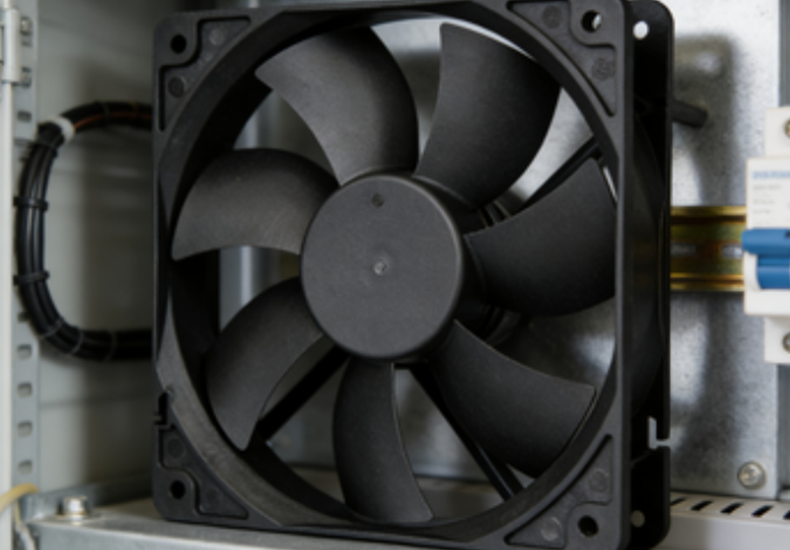
An increase in motor temperature is usually an early warning rather than a normal condition. Measure surface temperature during operation, compare it with the motor’s rated limits, and watch how it changes over time—steady upward trends are often more telling than one high reading. In day-to-day maintenance, elevated motor temperatures are frequently linked to restricted airflow, higher-than-expected load, or growing mechanical drag, often from bearings. Addressing these signs early helps avoid insulation breakdown, repeated shutdowns, and costly motor damage.Temperature readings should always be taken at the same location and after a similar operating period. A single reading without voltage, ambient temperature and load information is difficult to interpret. Trending the same measurement point over time is usually more useful than applying one temperature limit to every industrial cooling fan.
3.PWM, FG and Alarm Signal Checks
For DC and EC fans with speed control or feedback functions, confirm that the PWM command, FG speed signal and alarm output remain stable. Intermittent speed feedback, repeated restart attempts or unstable RPM may indicate a control, wiring or motor problem even when the fan still rotates.
Industrial Cooling Fan Performance Tests After Maintenance
Performance testing should confirm whether cleaning and maintenance restored normal operation. The most useful checks are startup behavior, fan speed, airflow, static pressure, noise, vibration, current and operating temperature. Results should be compared with a baseline recorded under the same test conditions.
| Performance Test | Basic Method | What to Compare | Possible Warning |
| Startup test | Observe startup and acceleration | Previous normal startup | Delayed start or repeated restart |
| Speed test | Use a tachometer or FG signal | Rated RPM and previous reading | Continuing RPM reduction |
| Airflow test | Use an anemometer or airflow test setup | Clean-system baseline | Lower airflow under the same conditions |
| Static pressure test | Use a manometer or pressure test system | Fan curve and system baseline | Pressure loss or unstable reading |
| Noise test | Measure at a fixed distance and position | Previous reading | New grinding, tonal or pulsating noise |
| Vibration test | Measure at the same mounting point | Recorded baseline | Increasing vibration trend |
| Current test | Use a clamp meter or power analyzer | Rated and previous current | Higher current at the same operating condition |
| Temperature test | Use a thermocouple or infrared instrument | Previous stabilized temperature | Sustained temperature increase |
How to Test Industrial Cooling Fan Airflow
Check the fan speed and airflow path before judging the fan by airflow alone. Measure at a repeatable position and keep the voltage, PWM setting, filter condition, inlet clearance and outlet restriction consistent. If airflow remains low after cleaning, inspect system resistance, fan rotation direction, supply voltage and operating speed.
How to Test Industrial Fan Vibration
Measure vibration at the same mounting position and under the same speed and load conditions. Compare the result with the fan’s initial commissioning record or previous maintenance data. If vibration increases, first inspect uneven blade buildup, loose mounting, damaged blades, housing contact and bearing condition.
Cooling Fan Noise Test
Measure noise at a fixed distance, direction and background-noise condition. Listen for changes in sound character as well as overall sound level. Grinding may indicate bearing damage, rattling may come from guards or mounting panels, and periodic pulsing may be related to unstable airflow or fan control.
Record Test Conditions
Test results are comparable only when the operating conditions remain consistent. Record the fan model, rated voltage, actual voltage, speed or PWM setting, ambient temperature, filter condition, inlet and outlet restriction, mounting position, measurement distance and test instrument.
Industrial Cooling Fan Maintenance Record
| Inspection Item | Baseline | Before Maintenance | After Maintenance | Result |
| Fan speed | ___ RPM | ___ RPM | ___ RPM | Pass / Check |
| Airflow | ___ CFM | ___ CFM | ___ CFM | Pass / Check |
| Static pressure | ___ Pa | ___ Pa | ___ Pa | Pass / Check |
| Current | ___ A | ___ A | ___ A | Pass / Check |
| Noise | ___ dB(A) | ___ dB(A) | ___ dB(A) | Pass / Check |
| Vibration | ___ mm/s | ___ mm/s | ___ mm/s | Pass / Check |
| Motor temperature | ___ °C | ___ °C | ___ °C | Pass / Check |
| Bearing condition | Normal | ___ | ___ | Pass / Check |
| Filter condition | Clean | ___ | ___ | Pass / Check |
Record readings after the fan reaches a stable operating condition. Use the same instrument and measurement position whenever possible. A consistent trend is more useful than an isolated reading taken under different conditions.
Industrial Cooling Fan Troubleshooting After Maintenance
| Problem | Check First | Possible Cause | Recommended Action |
| Airflow remains low | Filter, inlet, outlet and fan speed | High system resistance, incorrect rotation or speed loss | Remove restrictions and retest |
| Noise remains high | Blade, guard and mounting | Uneven dirt, loose panels or bearing wear | Clean evenly, tighten and inspect bearing |
| Motor temperature increases | Current, airflow and bearing drag | Blockage, overload or mechanical resistance | Compare with baseline and inspect load |
| Fan does not start reliably | Voltage, connector and control signal | Low voltage, wiring fault or motor problem | Verify power and control input |
| Vibration returns after cleaning | Blade condition and mounting surface | Damaged impeller, resonance or bearing wear | Inspect mounting and replace damaged parts |
| Speed is unstable | PWM, FG signal and supply voltage | Control instability or motor fault | Check signal and wiring stability |
When Should an Industrial Cooling Fan Be Replaced?
Cleaning and tightening can correct contamination, airflow blockage and loose mounting, but they cannot restore damaged bearings, cracked blades, worn wiring or unstable motor electronics. Replacement should be considered when the fan shows rough rotation, excessive shaft movement, recurring vibration, damaged blades, burned wiring, unreliable startup or performance that remains below the recorded baseline after maintenance.
For critical equipment, replacement may be more practical than repeated repair when fan failure can cause thermal shutdown, production interruption or damage to other components.
How YCCFAN Evaluates Cooling Fan Performance
YCCFAN evaluates cooling fan performance through airflow and static-pressure testing, acoustic testing, dynamic balancing, environmental testing and reliability verification. These capabilities help engineers compare airflow, pressure, noise, vibration and operating stability under defined test conditions.
YCCFAN’s R&D work covers motor, circuit, structural, fluid-simulation, mold and bearing-related development. Standard and customized DC fans, AC fans, EC fans, blower fans and micro cooling fans are available for equipment with different airflow, static-pressure, voltage, noise, size and installation requirements.
If an existing fan repeatedly loses airflow, develops abnormal noise or operates above the expected temperature, provide the fan model, size, voltage, speed, airflow requirement, installation condition and annual quantity. YCCFAN engineers can assistwith fan selection or a customized cooling solution.
Conclusion
Effective industrial cooling fan maintenance isn’t about complex tools or major overhauls—it’s about consistency. Regular cleaning, basic inspections, lubrication checks, and simple performance monitoring catch problems early, when they’re easiest and cheapest to fix. In practice, most fan failures trace back to skipped routine tasks rather than design flaws. Following a structured maintenance schedule keeps airflow steady, extends component life, and ensures cooling performance stays reliable where it matters most.
When cleaning no longer restores the expected airflow, or when noise, vibration, current and temperature continue to change, the fan should be evaluated against its original operating requirements. YCCFAN provides DC, AC, EC, blower and micro cooling fan solutions with airflow, static-pressure, acoustic, reliability and environmental testing support for standard and customized industrial applications.
FAQ
1.How often should an industrial cooling fan be cleaned?
An industrial cooling fan may be inspected monthly in dusty, oily or continuous-duty environments and at least quarterly in cleaner installations. The actual interval should be based on how quickly dust accumulates, whether airflow decreases and whether noise, current or operating temperature begins to rise.
2.What are the signs an industrial cooling fan bearing is failing?
Common signs include grinding or squealing noise, increasing vibration, higher temperature around the bearing, rough rotation with power off and excessive shaft movement. Clean the fan and check mounting first. If these symptoms remain, the bearing or fan assembly may require replacement.
3.How do I know if my industrial cooling fan is losing airflow?
Warning signs include rising equipment temperature, weaker exhaust flow, more frequent thermal alarms and lower measured airflow. Compare fan speed and airflow with a baseline taken under the same voltage, filter condition and system resistance. A blocked airflow path can reduce cooling even when the fan itself remains functional.
4.Should I lubricate every industrial cooling fan bearing?
No. Lubricate only bearings that are designed for relubrication and only according to the manufacturer’s instructions. Sealed or lubricated-for-life bearings normally should not be opened or regreased. Incorrect grease, mixed lubricants or excessive grease may increase temperature and damage the bearing.
5.What performance checks matter most for an industrial cooling fan?
The most useful checks are startup behavior, fan speed, airflow, static pressure, vibration, noise, current and operating temperature. Compare the readings with the fan’s rated information and a recorded baseline under the same voltage, speed, mounting and airflow conditions.
6. Can compressed air be used to clean an industrial cooling fan?
Low-pressure compressed air may be used when the equipment manufacturer allows it, but power must be isolated and the impeller should be prevented from rotating freely. Direct the air away from bearings, motor openings and electrical connectors, and avoid blowing contaminants deeper into the equipment.
7.Why does an industrial cooling fan vibrate after cleaning?
Vibration after cleaning may be caused by uneven residue, a damaged blade, loose mounting, housing contact or bearing wear. Check that both sides of every blade are cleaned evenly, tighten the mounting hardware and compare vibration at the same speed and measurement position.
8. Should an industrial cooling fan be repaired or replaced?
Repair may be suitable for loose fasteners, blocked filters, dirty blades or damaged external wiring. Replacement is usually more appropriate when the fan has damaged blades, rough bearings, excessive shaft movement, unstable startup or recurring noise and vibration after maintenance.