


Why Are Server Fans So Loud? Speed, Static Pressure and Cooling Load Explained
Server fans are loud because they must cool powerful components inside compact and highly restrictive chassis. Unlike a desktop computer, a rack server may contain processors, memory modules, storage drives, power supplies, network cards and GPUs in a narrow enclosure designed for continuous operation.
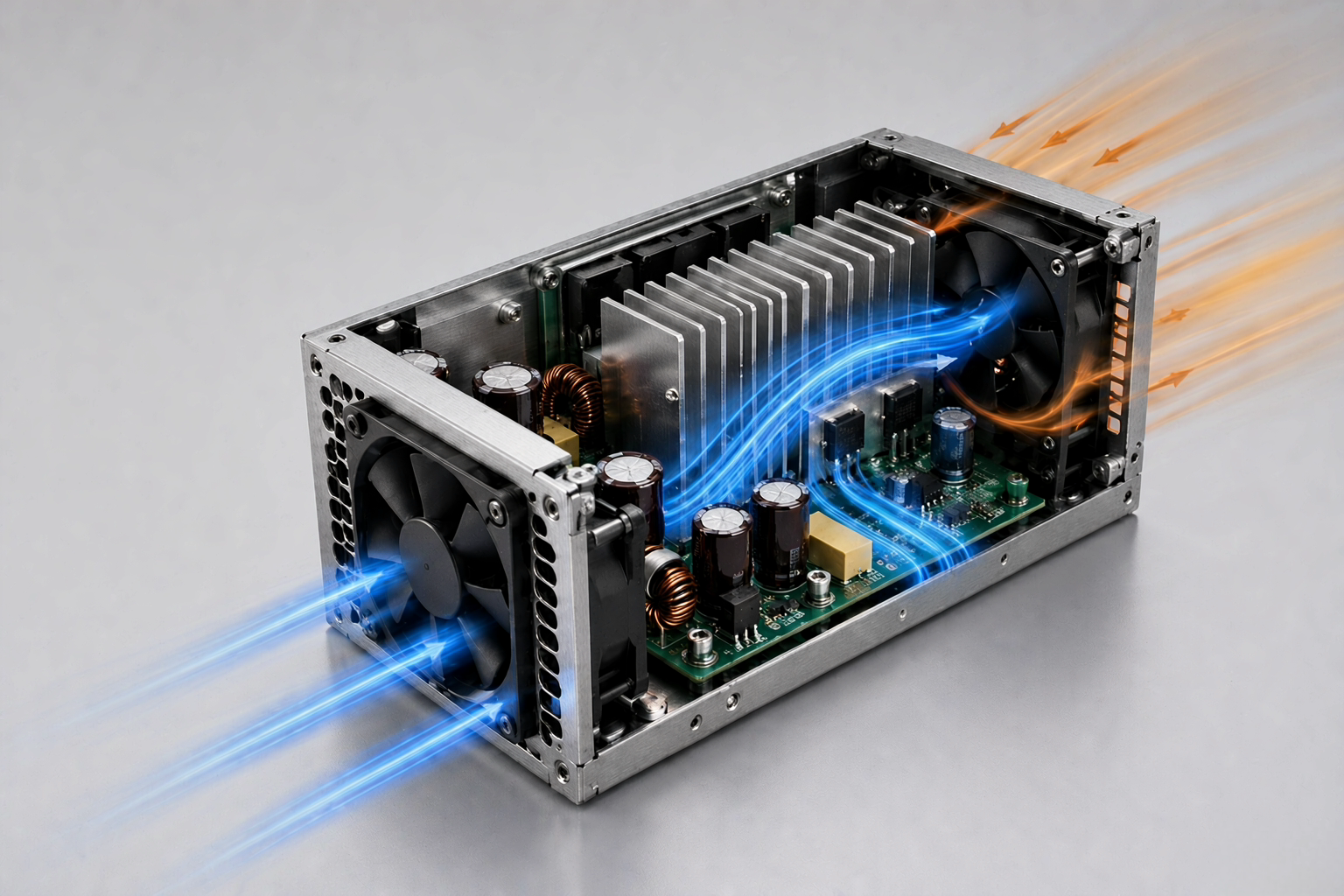
Moving air through this structure requires several small fans running at high rotational speeds. The fans must also generate enough static pressure to push air through drive bays, heat sinks, grilles and limited exhaust openings. Higher speed and pressure make airflow turbulence, blade-pass tones and motor sound more noticeable.
A loud server fan is therefore not always faulty. It may be responding normally to startup checks, elevated inlet temperature or a demanding workload. However, a server that suddenly becomes louder or remains at maximum speed under light load may have a sensor, firmware, airflow or hardware compatibility problem.
Key Takeaways
- Rack servers use small, high-speed fans because larger, slower fans usually cannot fit inside a 1U or 2U chassis.
- Static pressure matters because air must pass through dense heat sinks, storage bays and restricted openings.
- BMC control responds to multiple temperature and hardware signals, not CPU usage alone.
- GPU upgrades, dust, fan faults and unsupported PCIe cards can increase the required fan speed.
- Safe noise reduction starts by identifying the cooling demand rather than simply lowering RPM.
Why Are Server Fans So Loud Compared with PC Fans?
Server cooling systems prioritize component protection, reliability and uninterrupted operation. Acoustic comfort is usually a secondary consideration, especially when the equipment is intended for a data center rather than an office or home.
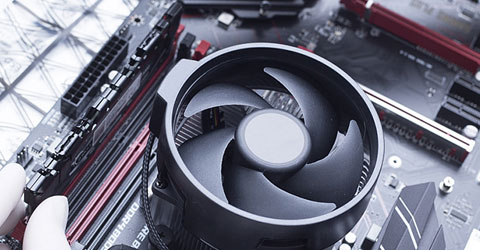
A desktop computer normally has enough space for 120mm or 140mm fans. Larger blades move more air during each rotation, allowing the fans to provide useful airflow at relatively low speeds. The chassis also tends to have wider intake and exhaust openings.
Rack servers have much less internal space. A 1U server may rely on compact 40mm fan modules because of its limited height. Since a small fan moves less air per revolution, it must rotate much faster to produce the required cooling airflow.
The air path is also more restrictive. Cooling air must travel from the front of the server to the rear while passing through storage drives, memory channels, processor heat sinks, power components and expansion cards. This combination of small fan diameter, high RPM and dense internal hardware explains why rack server noise is generally much higher than desktop PC noise.
Larger 3U and 4U systems sometimes have room for bigger fans and wider air channels. They may achieve comparable cooling at a lower rotational speed, although the final sound level still depends on heat load, system resistance and the selected fan-control profile.
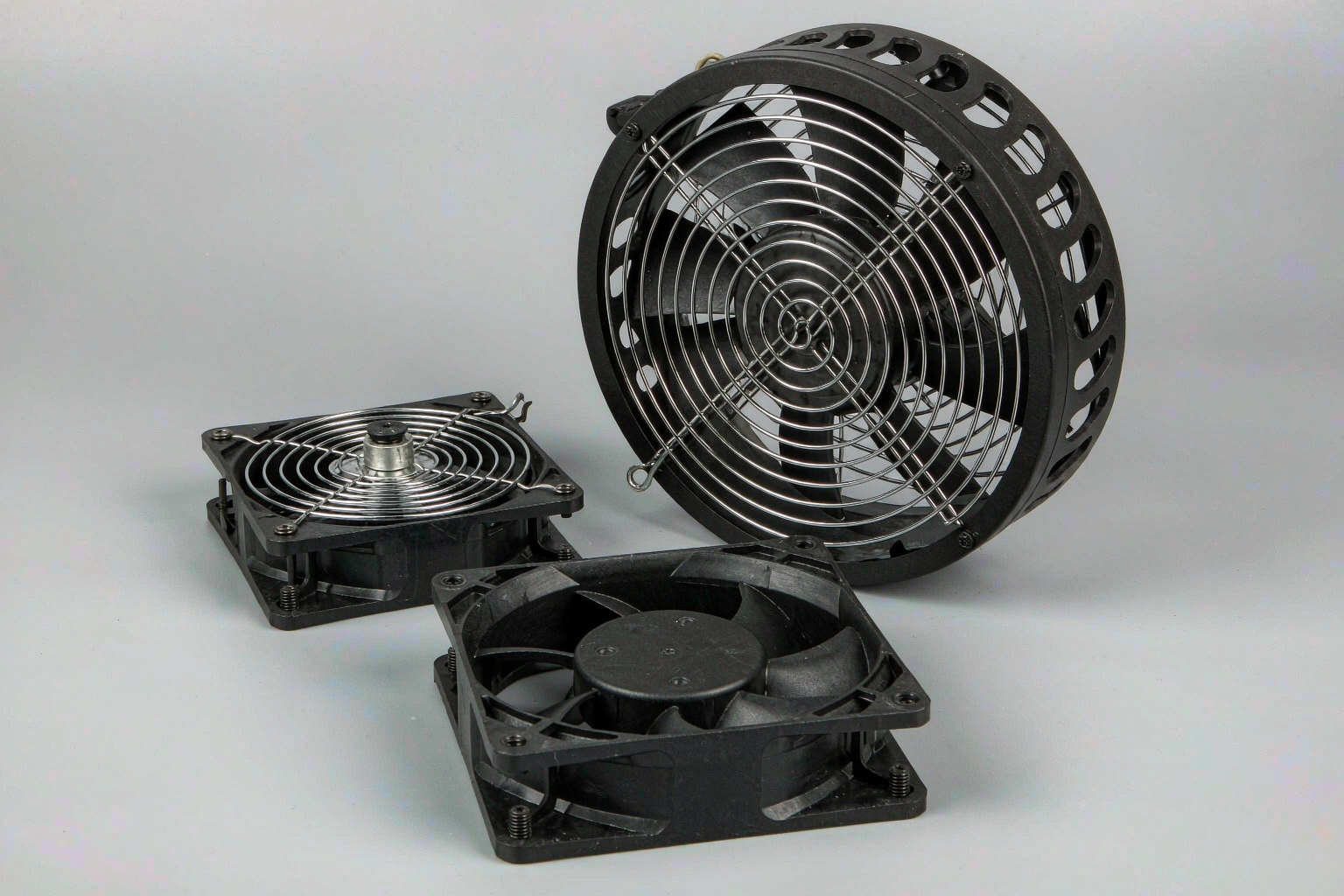
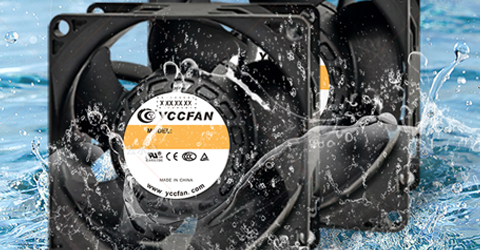
YCCFAN’s high-performance server DC fans are engineered to push dense airflow through restrictive chassis, accepting higher acoustic output in exchange for cooling capacity.
How Speed and Static Pressure Affect Server Fan Noise
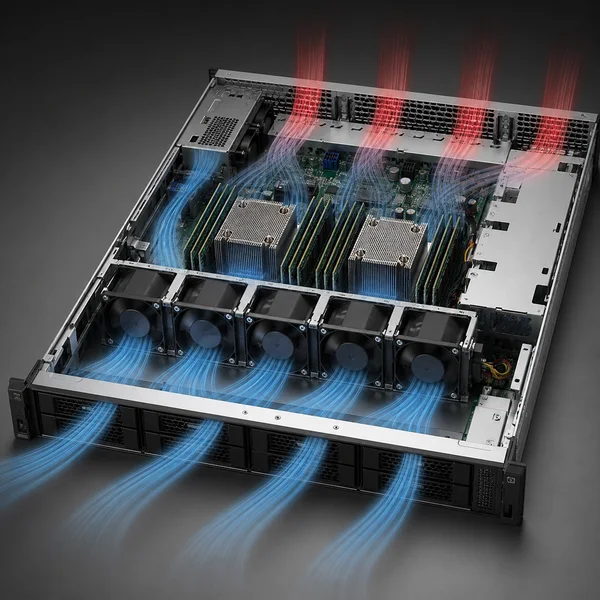
Increasing fan speed is one of the most direct ways to raise airflow and static pressure in a limited space. It also increases the acoustic output of the cooling system.
At high RPM, blade tips move faster and create stronger turbulence. Air interacting with protective grilles, heat-sink fins and sharp chassis edges can generate broad airflow noise and high-frequency tones. Motor and bearing frequencies may also become easier to hear, while vibration can transfer into the fan housing and metal chassis.
Static pressure is equally important. It represents the fan’s ability to maintain airflow when the path contains resistance. Server airflow rarely moves through an open enclosure, so the fan’s maximum free-air CFM does not show how it will perform after installation.
Storage bays, dense heat sinks, air baffles, connectors and perforated panels all add resistance. As this system impedance increases, actual airflow decreases. The fan may then need to run faster to move enough air across critical components.
The real operating point occurs where the fan’s P–Q curve intersects the resistance curve of the server. A model with high free-air airflow can still perform poorly behind a dense heat sink. A fan with suitable server fan static pressure may provide better installed performance, even if its maximum airflow rating appears similar.
For this reason, fan speed, airflow, static pressure and acoustic output should be evaluated together. Selecting a fan by CFM or dBA alone can result in inadequate cooling or unnecessary noise.
Why Is a Server Fan Running at Full Speed During Startup?
A short period of maximum fan speed during startup is normal for many enterprise servers.
During the first stage of booting, the management controller may not yet have confirmed every temperature sensor, fan signal or installed component. The system may temporarily use a fail-safe cooling state while the processors, memory, power supplies and PCIe hardware are initialized.
Once the Baseboard Management Controller receives valid data, it should normally apply the appropriate thermal profile. Fan speed may then fall according to inlet temperature, hardware configuration and system load.
A server fan running at full speed briefly during startup is therefore generally expected. Persistent maximum speed after the server reaches idle may indicate missing sensor data, a damaged fan, high inlet temperature, outdated firmware, restricted airflow or unsupported hardware.
The server’s management interface should be checked before changing the fan settings. Forcing a lower RPM without understanding why the controller requested more cooling may suppress the sound while leaving the underlying thermal problem unresolved.
How BMC Control Changes Server Fan Speed
The BMC coordinates the cooling response in most enterprise servers. It does not adjust fan speed according to CPU usage alone. Depending on the platform, it may monitor processor, GPU, memory, storage, inlet-air and exhaust-air temperatures.
Fan tachometer signals, power consumption, power-supply status and PCIe hardware information can also influence the target speed. This explains why a server can remain loud even when CPU utilization appears low. Another component may be producing heat, or the controller may lack reliable thermal data for an installed device.
The BMC also uses conservative cooling behavior when it detects uncertainty. If a sensor stops responding or a fan does not report the expected RPM, the system cannot safely assume that cooling remains adequate. Increasing the speed of the available fans protects the hardware until the issue is resolved.
Firmware and hardware compatibility affect this process. A controller may not recognize a newly installed GPU, network adapter or storage card. In that situation, it may raise the minimum fan speed because it cannot determine the device’s thermal requirements.
Low CPU load therefore does not necessarily mean low total system heat. Storage operations, high-speed networking, memory activity and power conversion can maintain a significant cooling demand even when processor usage appears limited.
Why Workloads and GPUs Make Server Cooling Louder
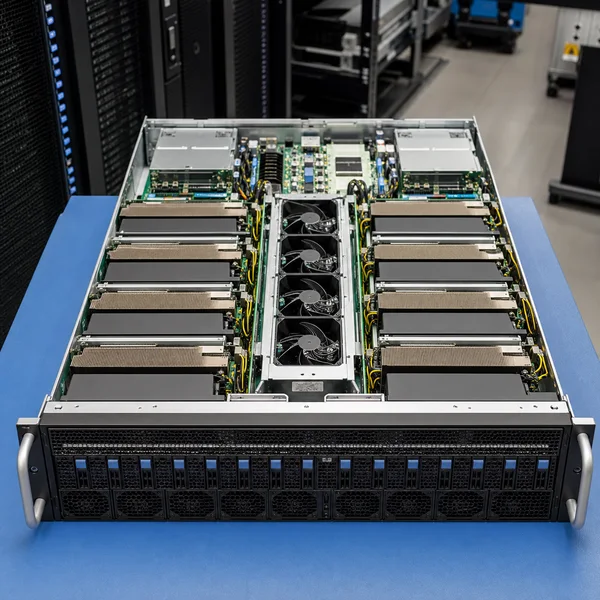
Heavy workloads increase electrical power consumption and heat generation. Virtualization, database processing, storage operations, high-speed networking, AI inference and GPU computing can all cause the cooling system to increase fan speed.
The response may not be immediate. Fan control normally follows temperature changes rather than workload percentage alone. Fans can also remain elevated after a task finishes because heat sinks and internal components need time to cool.
GPU servers are particularly demanding. Several accelerators may be installed alongside processors, memory, storage and network hardware. Many enterprise GPUs use passive heat sinks instead of dedicated onboard fans, so the central fan wall must force air through each card.
Installing GPUs can increase the cooling requirement in two ways. The cards generate additional heat, while their dense heat sinks and large physical structures create more airflow resistance. The server must therefore move more air through a more restrictive chassis, resulting in higher RPM and stronger aerodynamic noise.
Third-party PCIe devices can also change the fan response. If the BMC cannot identify the card or its thermal requirements, it may select a conservative cooling profile. A noticeable increase in operating sound after a hardware upgrade should therefore prompt a compatibility, firmware and airflow review before any fan-speed adjustment is made.
How Redundant Fan Design Affects Rack Server Noise
Enterprise servers commonly use several compact fan modules arranged in a fan wall. This provides redundancy, allowing the system to maintain cooling if one module fails or is removed.
Multiple high-speed fans naturally produce more sound than a single fan. When the modules operate at similar speeds, their blade-pass frequencies can combine into a prominent high-pitched tone. Small differences in RPM may also produce fluctuating frequencies that make the overall sound more noticeable.
If one fan fails to report the expected speed, the remaining modules may accelerate to compensate. This can cause an immediate increase in sound before component temperatures rise. An incorrectly seated module, damaged connector or missing fan blank may produce a similar response because it affects both redundancy and the designed airflow path.
This behavior is intentional. The control system increases cooling capacity to protect the server while a fan or airflow condition remains unresolved.
When Does a Loud Server Fan Indicate a Problem?
A consistently loud 1U or 2U server may be operating normally. A sudden change in sound, vibration or fan speed is more likely to require inspection.
Smooth, high-frequency airflow generally indicates high RPM and turbulence. Grinding, clicking, scraping or rattling is more likely to involve bearing wear, a loose mounting point, a cable obstruction or a foreign object near the blades.
Dust can also increase unnecessary cooling effort. Contamination on the bezel, filter or heat sink restricts airflow, while dust on the blades may reduce aerodynamic efficiency or affect balance. The BMC may compensate by increasing fan speed.
High inlet temperature produces a similar result. If warm exhaust air returns to the front of the rack, the fans must work harder to maintain safe component temperatures. Missing blanking panels, blocked vents and poor cable routing can contribute to this condition.
A practical inspection is recommended when:
- The fans remain at maximum speed long after startup or become louder without a corresponding workload increase.
- The BMC reports a fan, temperature or sensor warning, especially after a GPU, PCIe card, memory or processor upgrade.
- One module produces grinding, clicking or irregular vibration that sounds different from the other fans.
These symptoms do not automatically mean the fan motor has failed. The controller may be responding to an airflow restriction, firmware issue, sensor fault or incompatible component elsewhere in the server.
How to Reduce Server Fan Noise Without Affecting Cooling
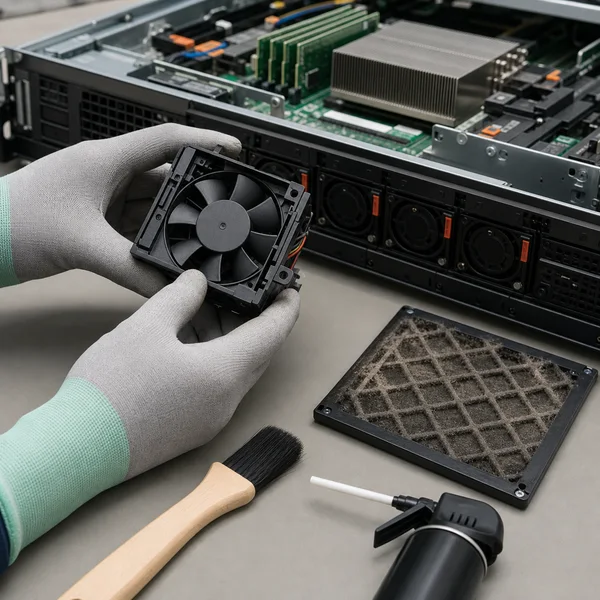
Understanding how to reduce server fan noise safely begins with identifying why the server requests the current speed. The objective is to remove unnecessary heat, restriction or control errors rather than suppressing a valid cooling response.
Start by reviewing inlet temperature, component temperatures, fan RPM and hardware warnings through the management interface. Compare fan behavior during startup, idle operation and a realistic workload. A healthy control system should usually change speed in response to temperature and load.
The complete airflow path should then be inspected and cleaned according to the server manufacturer’s maintenance procedure. Check the intake, fan wall, drive bays, heat sinks, baffles and rear exhaust. Cable routing and rack layout should not obstruct the designed front-to-rear airflow.
Every fan module must be fully seated and report a stable RPM. Hardware added shortly before the noise increased should also be reviewed. A GPU or PCIe card may require a particular fan configuration, air baffle, heat sink or firmware version.
BIOS and BMC firmware should be appropriate for the exact server model and configuration. The selected thermal profile should also be checked. Some systems provide performance, minimum-power or acoustically optimized modes, but only manufacturer-supported settings should be used.
If the server remains at full speed after these checks, the sensor, hardware or controller issue should be resolved before attempting to limit RPM manually.
Can You Replace Server Fans with Quieter Fans?
A quieter replacement is suitable only if it meets the server’s thermal, electrical and control requirements. A desktop fan may appear to move sufficient air in an open environment but lack the pressure required to cool components inside a restrictive server chassis.
Physical size is only one part of compatibility. The voltage, current, connector, pinout, PWM input and tachometer output must also match. Some servers monitor an expected RPM range, so an incorrect feedback signal can trigger a fault and make the remaining fans run faster.
| Selection factor | Why it matters |
|---|---|
| Dimensions | Determines physical fit and whether the airflow path remains sealed |
| Airflow | Indicates the volume of air available under specified conditions |
| Static pressure | Shows whether the fan can move air through restrictive components |
| P–Q curve | Identifies expected performance at the installed operating point |
| RPM and PWM range | Determines available speed control and peak cooling capacity |
| Tachometer output | Supports RPM monitoring and fan-failure detection |
| Voltage and current | Ensures electrical compatibility with the server |
| Connector and pinout | Prevents power, control and feedback errors |
| Bearing system | Affects service life, vibration and operating temperature |
| Acoustic profile | Helps evaluate tonal, mechanical and airflow sound |
Fan dBA should not be considered separately from pressure and installed airflow. A quieter fan that cannot move sufficient air through the heat sinks is not a safe replacement.
For a custom server, storage system or network appliance, noise reduction is easier to achieve during the thermal-design stage. A thicker fan, smoother airflow path, less restrictive grille or improved heat-sink position may lower the required RPM without reducing cooling capacity.
Selecting a Server Cooling Fan for OEM Equipment
Server fan selection should begin with the equipment’s heat load and estimated system resistance. Engineers can then use the P–Q curve to identify whether the fan provides enough airflow at the actual operating point.
The required PWM range is also important. A properly matched fan should provide sufficient pressure during peak load while allowing the controller to reduce speed during lighter operation. This helps balance thermal headroom, power consumption and fan acoustics.
Testing should be completed in the actual fan-wall and chassis configuration. Grilles, baffles, nearby fans, heat sinks and enclosure panels can change both airflow and sound compared with an isolated laboratory measurement.
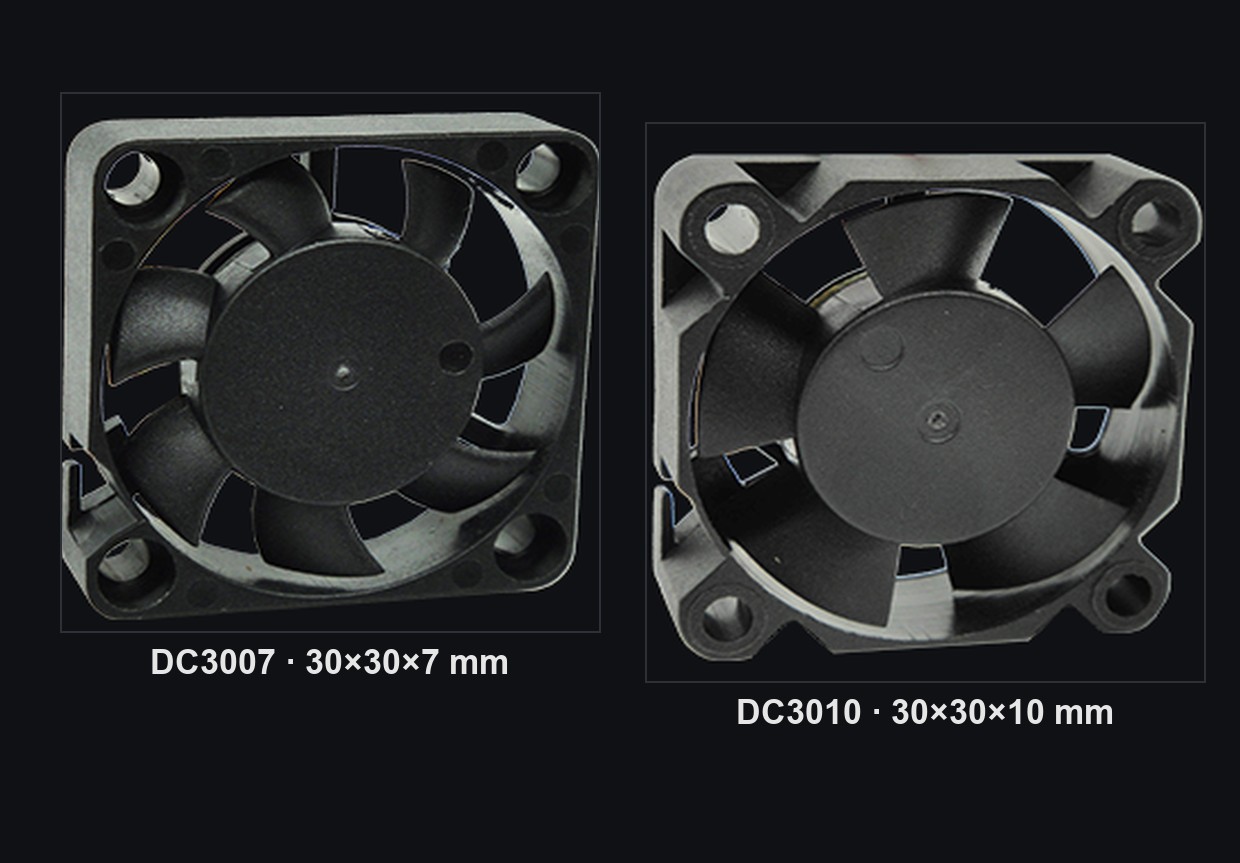
YCCFAN manufactures cooling fans in sizes from 20mm to 250mm for servers, communication equipment, power supplies and other electronic systems. Its development and production capabilities include airflow and pressure testing, noise testing, reliability verification, mold manufacturing and automated inspection. OEM and ODM support is available for projects requiring specific airflow, pressure, voltage, PWM control or feedback functions. One relevant example for high-resistance compact cooling is the DC4028G extreme-pressure 40mm DC fan.
FAQ
Is It Normal for a Server to Sound Like a Jet Engine?
A strong, high-pitched sound can be normal for compact servers because small fans must operate at high RPM. A brief increase during startup or heavy workloads is also common. Continuous full-speed operation under light load or a sudden change in sound should be checked through temperatures, logs and fan-status data.
Why Is My Server Fan Running at Full Speed When CPU Usage Is Low?
The BMC considers more than CPU usage. GPU, memory, storage, power-supply and inlet-air temperatures can affect fan speed. A missing fan, faulty sensor, unsupported PCIe card or firmware issue may also cause the controller to use a conservative full-speed cooling state.
Can I Lower Server Fan Speed Through the BIOS or BMC?
Some servers provide supported thermal-profile settings, but lowering speed without verifying installed airflow and component temperatures can create local hot spots. Changes should only be made through manufacturer-supported controls and tested under realistic peak workloads.
Will a Larger Fan Make a Server Quieter?
A larger fan can often provide similar airflow at a lower RPM, but most rack servers have limited installation space. Changing fan dimensions may also disrupt the chassis airflow seal, static-pressure performance, redundancy arrangement and BMC monitoring.
Final Takeaway
Server fans are loud because compact rack systems require substantial airflow and static pressure from small fan modules. High RPM, restrictive heat sinks, redundant fan walls, changing workloads and BMC thermal protection all contribute to the final operating sound.
A brief increase during startup or a predictable response to heavy load is usually normal. Persistent maximum speed, new mechanical sounds or a sudden change after a hardware upgrade should be treated as diagnostic signals.
Safe noise reduction requires a system-level review of temperatures, sensor data, firmware, installed hardware and airflow resistance. When a replacement fan is needed, it should be selected according to its real pressure–airflow operating point, electrical compatibility, PWM control, feedback signal and reliability.
For help matching a server cooling fan to your chassis resistance and control requirements, contact YCCFAN with the required dimensions, voltage, airflow, static pressure and operating conditions.
Explore server DC cooling fans sized for high static pressure and continuous duty in 1U to 4U systems.